
Let me guess: you just spent twenty minutes hunting through your inbox for that one W-2 a client swore they sent last Tuesday. Or maybe you're staring at your seventh "Can you resend that?" email of the day. Sound familiar?
Here's the uncomfortable truth I've learned after talking to hundreds of accounting professionals: your current system isn't just inefficient—it's actively costing you money, time, and probably a few years off your life expectancy. Every tax season, the same circus repeats itself. Clients email documents. You download them. You rename them (because "IMG_4782.jpg" tells you nothing). You file them. You realize they sent the wrong year. You start over.
There's a better way, and it doesn't involve becoming a Zen master of inbox management.
TL;DR: If your client portal creates more work instead of less, it’s time to rethink the setup. This post explains what to look for and why it matters.
What is a Client Portal for Accountants and How Does It Work?
Think of an accounting client portal software as your firm's private, secure workspace in the cloud—except it actually makes sense and your clients can use it without calling you every five minutes.
At its core, a client portal for accounting firms is a specialized platform that creates a dedicated digital space where you and your clients can exchange documents, communicate, sign forms, and manage tasks without the chaos of email attachments or the security nightmare of generic cloud storage.
Here's how it typically works in practice:
You set up branded workspaces for each client. They log in (usually with multi-factor authentication, because we're not barbarians), and suddenly they see exactly what you need from them: upload your 1099s here, sign this engagement letter there, check the status of your return over here. No confusion. No "I didn't know you needed that."
The magic happens in the automation. A good tax and accounting client portal doesn't just store files—it actively manages your workflow. Need bank statements from all 47 of your small business clients? Send one request, and the portal handles the rest: notifications, reminders, status tracking. You get to focus on actual accounting instead of playing document detective.
The Security Question Everyone Actually Cares About
Let's address the elephant in the room: How secure are accounting client portals for sharing tax and financial documents?
I'll be blunt—if you're still emailing tax returns as PDF attachments, you're basically handing sensitive financial data to anyone who might intercept that email. Email wasn't designed for security; it was designed for convenience in 1971, back when the internet was basically a group project between a few universities.
A proper secure client portal for accountants operates on a completely different level:
Bank-level encryption (AES-256) for data at rest and in transit, which is the same standard your bank uses
Multi-factor authentication that ensures the person logging in is actually your client, not some creative fraudster
Detailed audit trails showing who accessed what document and when—crucial for compliance and liability protection
Granular permission controls so your junior bookkeeper can't accidentally see someone's entire financial life
Automatic security updates and patches, unlike that accounting software you're still running from 2019
Most established portals also meet key compliance standards like SOC 2 Type II, GDPR for international clients, and align with IRS guidelines for electronic storage and transmission of tax documents. This isn't just marketing speak—these certifications require regular third-party audits and mean actual consequences if security fails.
The real question isn't whether portals are secure. It's whether you can afford not to use one when a single data breach could cost your firm six figures in fines, remediation, and lost reputation.
Can Clients Actually Use This Thing?
Can clients upload, e-sign, and download documents directly through the portal?
Yes—and here's where modern portals shine. Your clients aren't tech wizards (if they were, they'd probably do their own books), so the interface needs to be idiot-proof. The best platforms have figured this out.
Upload is typically drag-and-drop simple. Your client gets a notification: "Your accountant needs your 2024 bank statements." They click the link, drag files from their computer or phone, done. No FTP credentials, no confusing folder structures, no accidentally uploading to the wrong client folder (which, let's be honest, happens when you're managing 100 clients via Dropbox).
E-signature integration is the real game-changer. Instead of the old dance—print, sign, scan, email—clients click, scribble with their finger or mouse, submit. It's legally binding, time-stamped, and infinitely faster. Many portals support DocuSign or have built-in e-signature tools that comply with the ESIGN Act and UETA.
Download access is equally straightforward. Completed tax returns, financial statements, advisory reports—they're all there in the client's portal, organized and accessible. No more "I lost the file you sent" conversations. It's always there, backed up, retrievable.
The mobile experience matters too, because your clients check their phones 96 times a day but open their laptop maybe once. A good mobile client portal app for accountants means clients can upload that 1099 they just received while standing in line at Starbucks. Friction eliminated.
Because Your Tech Stack Is Already Complicated Enough
Does the client portal integrate with QuickBooks, Xero, or my existing tax software?
This is where many firms get tripped up. You've already invested in QuickBooks Online, or CCH, or Drake, or whatever combination of tools keeps your practice running. The last thing you need is another silo.
The better portals have thought this through. A QuickBooks integrated client portal for accountants or Xero client portal integration means your financial data, invoicing, and client communications live in the same ecosystem. When a client pays an invoice, it syncs. When you complete a monthly reconciliation, the report flows to their portal. No duplicate entry, no version control nightmares.
Here's what strong integration actually looks like:
With accounting platforms (QuickBooks, Xero): Two-way sync of client lists, invoices, payments, and reports. Your portal knows who your clients are and what you bill them.
With tax software (ProSeries, Lacerte, Drake, CCH, Thomson Reuters): Document routing that pushes completed returns to the portal, pulls organizers from clients, and maintains filing status. You're not manually uploading every 1040.
With practice management tools (Karbon, Financial Cents): Task lists, deadlines, and workflow states stay consistent. If you mark a task complete in your PM software, the client sees updated status in their portal.
With Microsoft 365 / Google Workspace: Document storage integrations and single sign-on, so your existing file structures can feed the portal without massive migration projects.
The firms I've seen succeed with portals don't try to replace their entire stack overnight. They pick a portal that plays nicely with their core tools and gradually shift workflows over as they prove out the value.
Your Brand, Your Way (Or Not)
Can I white-label the client portal with my firm's branding and domain?
Short answer: usually, yes—but the quality varies wildly.
A true white label accounting client portal means your clients see your logo, your colors, your domain (portal.yourfirm.com, not genericportal.com/yourfirm/client), and zero references to the portal vendor. This matters more than you might think. Trust is everything in accounting, and "we use SomeRandomTech's portal" doesn't inspire confidence like "Welcome to Smith & Associates Client Center" does.
What to look for in white-labeling:
Custom domain with SSL (so it's actually secure and professional)
Full logo and color palette customization
Customizable email templates, so notifications match your firm's voice
Removal of vendor branding from the client interface (not just hiding the logo but leaving the software name everywhere)
Custom login page design, because first impressions matter
Some platforms charge extra for white-labeling, positioning it as an "enterprise" feature. Others include it standard, recognizing that every firm—even solo practitioners—benefits from brand consistency.
Here's the catch: white-labeling the interface is one thing. Having an actually good interface to white-label is another. I've seen beautifully branded portals that are still confusing to navigate. Pretty wrapping doesn't fix poor UX.
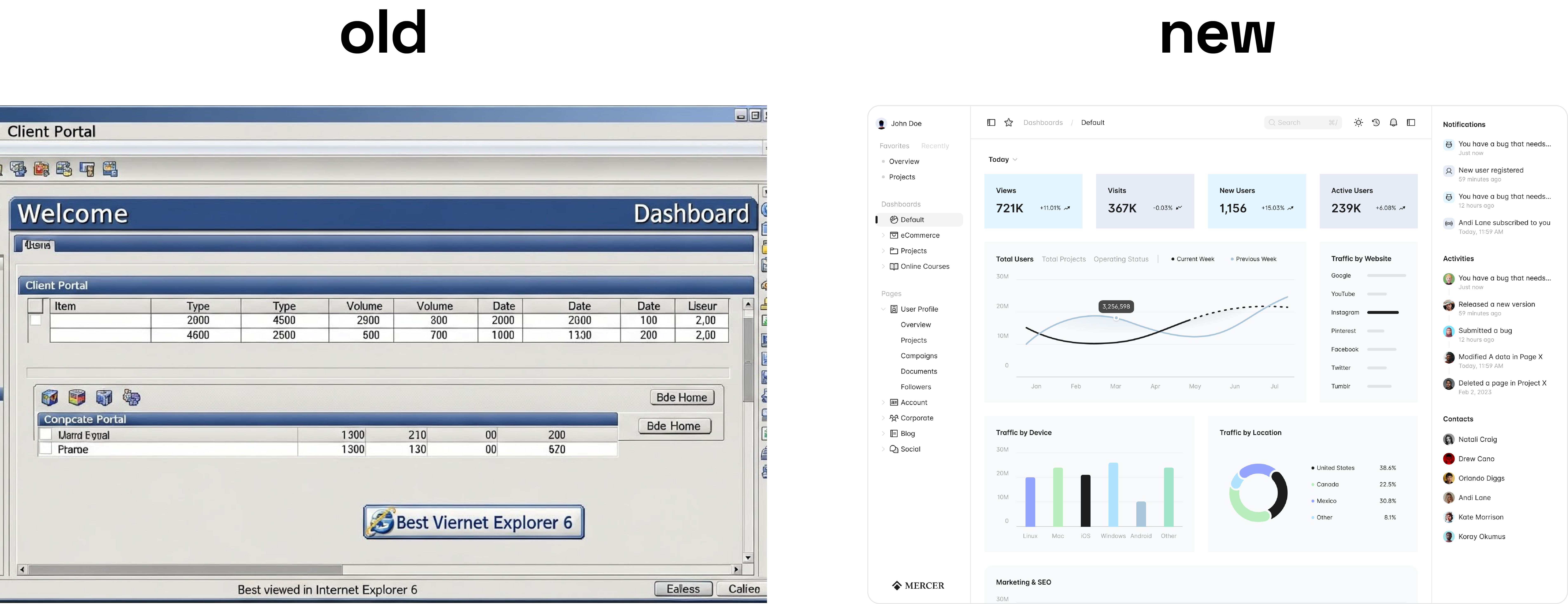
Mobile Matters More Than You Think
Is there a mobile app so clients can access the portal on phones and tablets?
Let's be real: your clients are going to try accessing the portal from their phones. That's not a maybe—it's a certainty. The only question is whether your portal makes this pleasant or painful.
A dedicated mobile client portal app for accountants beats a "mobile-responsive website" every time. Apps offer:
Push notifications that actually get seen (email notifications get buried; phone notifications get tapped)
Native camera integration for document capture—snap a photo of that receipt or form, upload done
Offline access to previously downloaded documents
Biometric login (Face ID, fingerprint) that's both more secure and more convenient than passwords
Better performance without the clunkiness of pinching and zooming on a mobile browser
The reality of mobile portal access shows up most clearly during tax season. Your client is traveling for work, gets your request for additional documentation, and has ten minutes before their next meeting. If they can't quickly upload from their phone, that task gets mentally filed under "I'll do it later when I'm at my computer"—which often means never.
Canopy, TaxDome, Liscio, and several others have realized this and built strong mobile experiences. Some have native iOS and Android apps; others have excellent progressive web apps that feel native. Either approach works, as long as it actually works.
Replacing Email Without the Therapy Bills
How does the portal handle messaging and requests so I can replace email?
This might be the single biggest value proposition of a client communication portal for tax firms: reclaiming your sanity from email hell.
Email made sense when you had 20 clients and 15 messages a day. At 100+ clients sending an average of three messages each per week? You're drowning. Add in the lack of context (which project is this about?), the version control disasters (is this the third or fourth revision?), and the security issues we've already covered, and email becomes actively counterproductive.
Modern portals replace email with structured messaging:
Contextual threads: Messages are attached to specific projects, documents, or tasks. When a client asks "Did you get my updated Schedule C?", that message lives right next to the Schedule C upload, not buried in your inbox between a LinkedIn notification and a vendor pitch.
Status visibility: Instead of "Just checking in on my return?" emails, clients log in and see "Your 2024 return: In review, estimated completion Jan 28." Questions answered before they're asked.
Controlled channels: You can set response expectations ("We respond within one business day"), create templates for common requests, and even route certain message types to specific team members automatically.
File request systems: Rather than sending an email saying "I need X, Y, and Z," you send a structured request through the portal. It tracks what's been submitted, what's missing, and automatically reminds clients of outstanding items. No more manually tracking who sent what in a spreadsheet.
The best portals also maintain audit trails of all communications, which is invaluable when a client claims "I never got that" or "You never asked me for it." The logs don't lie.
Does this completely eliminate email? No—initial client contact and some external communication still happens via email. But it can easily cut internal client communication by 60-80%, which, when you do the math on how much time you spend managing your inbox, is genuinely life-changing.
The Boring Stuff That Keeps You Out of Trouble
What compliance standards (e.g., GDPR, SOC 2, IRS guidelines) does the portal meet?
Nobody gets excited about compliance—until an audit happens or a client in the EU asks about data protection, and suddenly you care very much.
Legitimate secure document sharing portals for accounting firms take compliance seriously because they have to. Here's what matters:
SOC 2 Type II: This is the gold standard for service organizations handling sensitive data. It's an independent audit that verifies security, availability, processing integrity, confidentiality, and privacy controls. Type II means they've been audited over time, not just at a snapshot moment. If a portal vendor doesn't have SOC 2, ask why.
GDPR compliance: If you have any clients or contacts in the European Union, GDPR applies to you. Key portal features include data processing agreements, the ability to export or delete client data on request, consent management, and data residency options.
IRS Publication 1075: Governs the safeguarding of federal tax information. While primarily aimed at government agencies, the security standards it sets are good guidance for any firm handling tax data.
HIPAA (if applicable): Some accounting firms also handle healthcare clients or employee health data. If that's you, verify the portal can execute a Business Associate Agreement and maintain HIPAA-compliant controls.
State-specific regulations: Various states have their own data protection laws (CCPA in California, SHIELD Act in New York). A good portal vendor stays current with these requirements.
Encryption standards: Look for AES-256 encryption at rest, TLS 1.2 or higher for data in transit, and secure key management practices.
The vendor should also maintain documented security policies, conduct regular penetration testing, have an incident response plan, and carry cyber liability insurance. These aren't nice-to-haves—they're essentials.
When evaluating portals, don't just take marketing claims at face value. Ask for their SOC 2 report, ask about their last security audit, ask what happens if they get breached. A vendor that gets defensive or vague about security probably isn't one you want to trust with your clients' financial data.
The Money Question
How much does a client portal for accountants cost and how is it priced (per user, per client, etc.)?
Pricing in this space is all over the map, which makes sense because needs vary wildly from a solo CPA to a 50-person firm.
Typical pricing models:
Per-user pricing: You pay for each person on your team who needs access. Common range: $30-$100/user/month. Makes sense for small firms with tight teams but can get expensive as you grow.
Per-client pricing: You pay based on active client count. Range: $2-$10/client/month. Better for firms with many clients but small internal teams. Watch for minimum monthly commitments.
Flat-rate tiers: Bronze/Silver/Gold packages based on feature access and usage limits. Example: $200/month for up to 100 clients and 5 users. Predictable but you might outgrow tiers quickly.
All-in-one practice management: Portals bundled with workflow, time tracking, billing, and CRM. Range: $100-$500+/month depending on firm size. Higher cost but eliminates multiple subscriptions.
Custom/enterprise: Bespoke builds or enterprise plans with custom pricing based on specific needs, integrations, and volume.
Real-world examples (approximate 2025 pricing):
TaxDome: Starts around $700/user/year for small firms, scales to $1100+ for larger practices with more clients and features
Canopy: Typically $45-60/user/month depending on module mix
SmartVault: Around $50/user/month, with document storage tiers
Liscio: Around $50/user/month, increases with users and clients
Content Snare: Starts at $35/month for smaller needs, scales with client count
Financial Cents: Around $19/month base, increases to $49/user/month with more than 1 user.
Hidden costs to watch for:
Setup/onboarding fees (some charge $500-2000 to get you started)
Storage overages if you exceed included limits
Additional costs for white-labeling or premium integrations
Per-signature fees if using third-party e-sign services
Support tier upgrades for faster response times
Most firms find the ROI is measurable within 3-6 months through reduced time chasing documents (easily 5-10 hours/week in tax season), fewer missed deadlines, improved cash flow from faster document collection and invoicing, and better client satisfaction leading to retention and referrals.
For an affordable client portal for small accounting firms, expect to budget $100-300/month at minimum for a real solution that handles security, integrations, and support. Cheaper options exist but often lack critical features or compliance certifications.
The Force Multiplier You Didn't Know You Needed
Can the portal automate reminders, task assignments, and client onboarding workflows?
Here's where portals shift from "nice convenience" to "legitimate competitive advantage."
Manual follow-up is soul-crushing. You know the drill: send a request, wait three days, send a reminder, wait two more days, send another reminder, finally call the client, they apologize profusely and send it five minutes later. Multiply that by every client and every tax season. Now imagine the portal does this automatically.
Workflow automation with accounting client portal systems typically includes:
Automated reminders: Set it and forget it. Portal sends reminders at intervals you define (3 days, 7 days, final notice) until the client completes the task. Friendly, consistent, and impersonal enough that clients don't feel nagged by you specifically.
Task assignments: As work moves through stages, the portal can automatically assign next steps to team members. Return drafted? Assigned to senior reviewer. Approved? Assigned to admin for e-filing. Client contacted? Back to preparer for revisions. You build the workflow once; it runs itself forever.
Client onboarding portal for accounting firms: New client signs up? Portal triggers a welcome email, engagement letter for e-signature, new client questionnaire, request for prior-year returns, W-9, and any other intake documents—all in a structured checklist. No more "did we remember to get their organizer?"
Recurring workflows: Monthly bookkeeping clients get the same document requests every month—bank statements, credit card statements, receipts, payroll reports. Set up a template once, schedule it to recur, done. The portal handles the rest.
Status updates: Clients automatically get notifications when their work moves to the next stage. "Your return is ready for review" or "We've filed your extension" without you lifting a finger.
Deadline management: The portal can watch filing deadlines, send alerts to both you and clients as deadlines approach, and escalate if something is stuck in review too long.
The cumulative effect is dramatic. I've talked to firms who estimate automation saves them 20-30 hours per team member per month during peak season. That's real time that can be spent on advisory work, business development, or—radical thought—going home at a reasonable hour.
Platforms like Karbon, TaxDome, and Canopy have particularly robust workflow automation. Others like Clustdoc specialize in onboarding automation specifically. Evaluate based on which workflows cause you the most pain today.
Easier Than You Think (Probably)
How easy is it to migrate from my current document-sharing setup (email, generic cloud storage) to a dedicated client portal?
I get it—the idea of migrating years of documents and training clients on a new system sounds about as appealing as a surprise audit. But the migration is almost always less painful than firms expect, and the alternative—staying stuck with email and Dropbox forever—is worse.
Typical migration path:
Phase 1 - Setup (1-2 weeks):
Configure portal with firm branding, user roles, and security settings
Build document templates and request forms
Map your service categories and workflows
Import client list (most portals accept CSV uploads from QuickBooks, your CRM, or tax software)
Phase 2 - Pilot (2-4 weeks):
Pick 10-15 clients who are tech-comfortable and willing to test
Move their active projects to the portal
Gather feedback, refine your setup
Train staff on the new system
Phase 3 - Rollout (4-8 weeks):
Move clients in batches (maybe 20-30 per week)
Send welcome emails with login instructions and short "how-to" video
Keep old systems running in parallel initially, but stop using them for new work
Offer phone/email support for clients struggling with login or upload
Phase 4 - Consolidation (ongoing):
Gradually migrate historical documents if needed (often you don't need to)
Shut down old Dropbox/email patterns completely
Continuously improve based on what you learn
What makes migration easier:
Most portals offer data import tools and onboarding support. Better vendors assign an implementation specialist who helps with setup, training, and the first few weeks of usage.
You typically don't need to migrate all historical documents—just current-year active files. Previous years can stay in your old system as an archive. This cuts migration work by 80%.
Client adoption is usually faster than expected because the portal is genuinely easier for them than the old way. You're not asking them to learn something harder; you're giving them a simpler tool.
Staff adoption is the real hurdle. Some team members resist change. Counter this with clear expectations ("we're fully on the portal by April 1"), hands-on training, and celebrating early wins ("Look, we collected all organizers from 40 clients in one week!").
The firms that struggle with migration are usually the ones who try to do a big-bang cutover in the middle of tax season or who don't commit leadership support. Treat it like the business project it is: assign ownership, set timelines, communicate consistently, and follow through.
Most firms report they're fully operational within 2-3 months, and wish they'd done it sooner.
The Portal Landscape in 2025
So which best client portal for accountants should you actually pick? Spoiler: there's no universal answer, but there are clear winners for different situations.
For Custom Needs: Bucky Agency
Let's start with the outlier—and maybe the smartest choice if you're tired of forcing your practice into someone else's box.
Bucky Agency isn't a portal product; it's a custom build partner. They don't sell you software—they build exactly what your firm needs, integrated with your exact tech stack, branded perfectly, and designed around your specific workflows.
Why consider custom:
Off-the-shelf portals come with compromises. That workflow you wish you could automate? The integration your tax software doesn't support? The approval process that's unique to your multi-entity client structure? Standard portals can't flex that far.
Bucky builds end-to-end client experience systems: portals, yes, but also integrated with billing automation, custom dashboards, self-service client tools, and whatever else your practice needs. If you've tried three different portals and you're still emailing documents and manually chasing clients, that's a sign you need something more tailored.
The economics make sense for established firms (revenue north of $500K, especially over $1M+) where inefficiency costs real money. A custom portal might cost more upfront than a SaaS subscription, but pays for itself quickly through workflow efficiency, better client experience, and control over your tech destiny.
Trade-off: Higher initial investment, longer implementation, and you need to be clear on what you want. But you get exactly what you need instead of adapting to what exists.
Best for: Firms with complex needs, multiple service lines, strong desire for differentiation, or anyone who's already tried off-the-shelf and found them lacking.
For Tax-Focused Practices: Canopy & TaxDome
Canopy has become a favorite for CPA firms that handle significant compliance work. The portal is tightly integrated into broader practice management: organizers, e-signatures, document requests, billing, and workflow automation all in one system. It's particularly strong for firms transitioning from desktop tax software to cloud workflows.
Strengths: Deep compliance features, excellent organizer builder, strong workflow engine, quality onboarding support.
Considerations: Pricing scales with firm size and can get expensive; smaller firms might feel it's more than they need.
TaxDome aims to be the all-in-one solution—practice management, client portal, billing, CRM, and messaging. Many tax preparers love the simplicity of having everything in one place. The interface is modern, clients find it intuitive, and white-labeling is standard even on lower tiers.
Strengths: Affordable, client-friendly, good mobile app, solid automation, includes everything in one subscription.
Considerations: Some advanced features aren't as deep as dedicated specialist tools; integration with certain legacy tax platforms can be limited.
For Document Management Focus: SmartVault & SuiteFiles
If your primary pain point is document chaos rather than workflow complexity, these shine.
SmartVault feels like Dropbox built specifically for accountants. It integrates deeply with QuickBooks Desktop, QuickBooks Online, and popular tax software. The mapped drive feature means your team can work with portal files as if they're local. OCR search is excellent for finding documents fast.
Strengths: Superior document search and organization, solid security and audit trails, excellent QuickBooks integration.
Considerations: Workflow automation isn't as sophisticated as Canopy or TaxDome; it's more about storage and sharing than full practice management.
SuiteFiles similarly focuses on accounting document management with client portal capabilities. It's particularly popular with firms already on Microsoft 365 because of tight integration with Outlook, Teams, and SharePoint.
Strengths: Great Microsoft integration, email-to-portal features, e-signature included, reasonable pricing.
Considerations: Feature set is narrower than all-in-one platforms; best as part of a broader stack.
For Workflow-Centric Firms: Karbon
Karbon approaches things differently—it's work management first, portal second. If your firm emphasizes structured workflows, task ownership, and team collaboration, Karbon's portal fits into that framework beautifully.
Strengths: Best-in-class workflow visibility, excellent team collaboration, sophisticated automation, great for scaling firms.
Considerations: The portal itself is more utilitarian than client-dazzling; pricing is premium; requires commitment to Karbon's work management philosophy.
For Document Collection: Content Snare
If your biggest headache is simply getting documents from clients efficiently—especially during onboarding—Content Snare does exactly that, exceptionally well.
Strengths: Dead simple for clients, structured requests reduce confusion, excellent automated reminders, affordable.
Considerations: It's narrowly focused on intake; you'll need separate tools for ongoing communication, e-signatures, or document delivery.
For Secure Communication: Liscio
Liscio feels like texting your accountant—except secure, organized, and professional. It's designed specifically around client communication portal for tax firms needs.
Strengths: Incredibly client-friendly mobile app, secure messaging that clients actually use, reduces email dramatically.
Considerations: Less robust on document management and workflow compared to full practice platforms; works best alongside other tools.
For Small Firms on a Budget: Financial Cents & Firm360
Both target small accounting firms that need core portal features without enterprise complexity or pricing.
Financial Cents is lightweight practice management with an integrated secure client portal for accountants, task tracking, and QuickBooks sync. It's grown popular with bookkeepers and smaller tax practices.
Firm360 is newer but offers a surprisingly complete package—portal, workflow, time tracking, billing—at competitive pricing.
Strengths (both): Affordable, easier learning curve, cover the essentials well.
Considerations: Feature sets are narrower; may need supplementing as you grow; support and development resources are smaller than established players.
For Enterprise/Multi-Office Firms: Thomson Reuters & CCH
If you're already deep in the Thomson Reuters or Wolters Kluwer ecosystem with NetClient CS or CCH Axcess Portal, integration with your existing tax and accounting suite is seamless.
Strengths: Enterprise-grade security and compliance, integration with professional tax software, established vendor support.
Considerations: Portal experiences tend to be more functional than delightful; pricing requires enterprise conversations; you're locked into the broader ecosystem.
For Specialized Needs: Onehub, Moxo, Clustdoc
These fill specific niches:
Onehub: Data-room style portals for very large document volumes and complex access control needs
Moxo: Interaction hub for firms wanting sophisticated branded client workspaces
Clustdoc: Onboarding specialists with excellent checklist and form-filling workflows
None will be your complete practice management solution, but each excels in its specific use case.
Portal Features Comparison Table
Platform | Starting Price | White-Label | Mobile App | E-Signature | Workflow Automation | Best For |
|---|---|---|---|---|---|---|
Bucky Agency | Custom | ✓ Full | Custom | ✓ | ✓ Advanced | Complex custom needs |
Canopy | ~$45-60/user | ✓ | ✓ Native | ✓ Built-in | ✓ Strong | Tax-focused practices |
TaxDome | ~$60/user | ✓ Standard | ✓ Native | ✓ Built-in | ✓ Good | All-in-one simplicity |
SmartVault | ~$50/user | ✓ | ✓ Responsive | Via integration | Limited | Document management |
Karbon | ~$59/user | ✓ | ✓ Native | ✓ | ✓ Excellent | Workflow-centric firms |
Liscio | ~$50/user | ✓ | ✓ Best-in-class | ✓ | Moderate | Client communication |
Content Snare | ~$35/user | ✓ | ✓ Responsive | Via integration | ✓ For intake | Document collection |
Financial Cents | ~$19/user | Limited | ✓ Responsive | ✓ | Basic | Small firms/budget |
SuiteFiles | ~$25/user | ✓ | ✓ | ✓ Built-in | Moderate | Microsoft 365 shops |
NetClient CS | Enterprise | Limited | ✓ | ✓ | Limited | TR suite users |
CCH Axcess | Enterprise | Limited | ✓ | ✓ | Moderate | Wolters Kluwer users |
Making the Decision: What Actually Matters
After all this, how do you choose?
Start with your biggest pain point:
Document chaos? → SmartVault, SuiteFiles
Client communication overload? → Liscio, TaxDome
Workflow inefficiency? → Karbon, Canopy
Client onboarding disaster? → Content Snare, Clustdoc
Need something custom? → Bucky Agency
Want everything in one? → TaxDome, Canopy
Consider your tech stack:
Already committed to QuickBooks? SmartVault or Financial Cents integrate beautifully. Deep in CCH? Their portal makes sense. Using Microsoft everything? SuiteFiles. Starting fresh? TaxDome or Canopy give you more options.
Think about firm size and growth:
Solo or small firm? Financial Cents, Content Snare, or TaxDome offer excellent value. Mid-size and growing? Canopy, TaxDome, or Karbon scale well. Multi-office enterprise? Thomson Reuters or CCH for integration, or Bucky for custom. Looking to differentiate? Bucky's custom approach creates unique competitive advantage.
Evaluate client experience:
If your clients are tech-savvy professionals, most portals work fine. If they're small business owners with limited tech comfort, prioritize simple interfaces like Liscio or TaxDome. If they're international or have special compliance needs, verify GDPR and other certifications.
Budget realistically:
Calculate total cost including setup, training, any integration work, and ongoing subscription. Then estimate time savings—even 10 hours/month at your effective hourly rate usually justifies $200-400/month in portal costs.
The Implementation Reality Check
You've picked a portal. Now what?
Week 1-2: Foundation Set up users, customize branding, build your first few document request templates, import client list, and configure integrations. Most portals have guided setup wizards. Use them. Schedule training for your team—actual calendar time, not "we'll figure it out."
Week 3-4: Pilot Pick 15-20 clients who are reasonable humans and tech-comfortable. Move their current work to the portal. Send personalized invitations. Monitor closely. Fix problems immediately. Iterate on your templates and workflows.
Week 5-8: Rollout Batch invite remaining clients. Send clear instructions with short video walkthroughs (most vendors provide templates you can customize). Expect 60-70% to log in within the first week if you follow up. The rest need phone calls or more encouragement.
Week 9+: Optimization Watch usage analytics. Which features get used? Which get ignored? Where do clients get stuck? Adjust. Add automation. Refine workflows. This is ongoing.
Common pitfalls:
Launching during your busiest season (don't)
Under-communicating with clients (they need more explanation than you think)
Not training staff thoroughly (they'll revert to email)
Trying to move everything at once (start with new work, migrate history slowly if at all)
Giving up after two weeks (it takes a month or two for new habits to stick)
The Bottom Line
Your current system—email, Dropbox, prayers—is costing you more than you realize. Every hour spent chasing documents, every lost file, every security-anxiety moment, every "I'll get to it later" from a client… it adds up.
A proper client portal for CPA firms doesn't just solve the immediate pain. It compounds. Better document collection means faster turnaround. Faster turnaround means higher capacity. Higher capacity means more revenue. Better client experience means higher retention and more referrals. It's a flywheel.
The firms winning in 2025 aren't necessarily the ones with the most expertise (though that helps) or the lowest fees (definitely doesn't help). They're the ones who've eliminated friction from the client experience. The ones whose clients actually enjoy working with them because it's easy, secure, and professional.
Your move:
Identify your specific pain (documents? communication? workflow? all of it?)
Demo 2-3 options that address that pain (free trials exist—use them)
Calculate real ROI (hours saved × your effective rate – portal cost = monthly benefit)
Commit to one and implement it properly with team buy-in and client communication
Measure results after 90 days and adjust
The perfect portal doesn't exist. The best portal for your firm absolutely does—you just need to find it, implement it properly, and give it time to transform how you work.
And if you discover six months in that off-the-shelf solutions still don't fit quite right? That's when you have a conversation with someone like Bucky Agency about building exactly what you need. Because sometimes the best tool is the one designed specifically for you.
Your clients are already on their phones, already using apps, already comfortable with modern digital experiences in every other part of their lives. The question isn't whether to adopt a client portal—it's whether you can afford to keep operating like it's 2010.